Q: How to Create a Mac OS X Installer for a Java Application
http://www.centerkey.com/mac/java/
Q: How to integrate Java compilation into the XCode IDE?
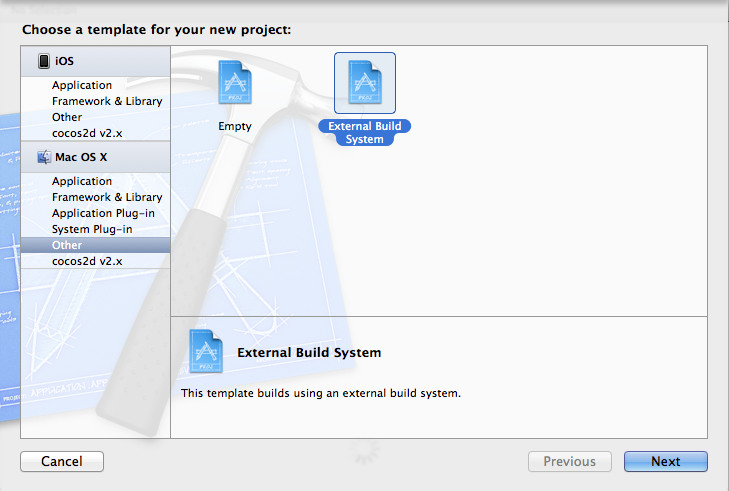
1. Create a project of “Mac OS X -> External Build System"
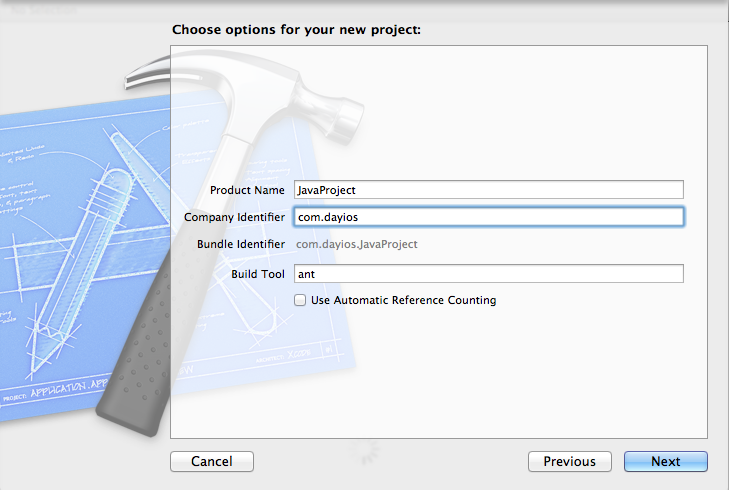
2. Input Product name, company identifier, don’t click “Use Automatic Reference Counting". Enter “ant" into “Build Tool".
3. Create or check your build.xml. This is part of Ant technology, please refer to Ant documents or tutorial online.
4. Copy your source, resource, build.xml into your folder. Remember put the build.xml into the project root path (of you can reference it with folder path later)
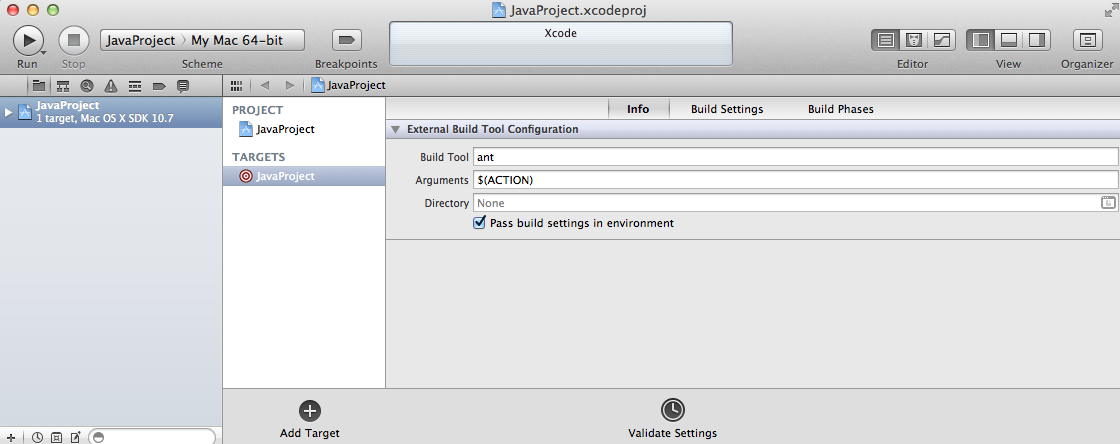
5. That’s it. Check with Build Scheme and Build Target in XCode, you will see you can Build (but not Run) with the Target. Use Command-B as hotkey to build.
Q: How to tackle the warning of “warning ‘includeantruntime’ was not set , defaulting to build.sysclasspath=last; set to false for repeatable builds."?
1. Check with your javac in build.xml. Add the attribute “includeantruntime" in the line: e.g. <javac srcdir="src" destdir="bin" includeantruntime="FALSE"/>

 Stories Tech Biz