Incorporate Build Number into your codes.
This is a handy tool when your client / tester / user / boss want to tell which version are they using on their devices.
1. Initiate your Bundle Version in your Info.plist file to some integer. e.g. 100
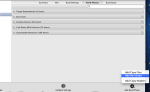
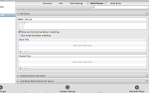
2. add script to Build Phases, put it before Copy Bundle Resources (or earlier)
3. put these script into the project. Notice the path settings and file settings.
build_num =$(/usr/libexec/PlistBuddy -c "Print CFBundleVersion" ${PROJECT_DIR}/App-Info.plist)

build_num=$(($build_num + 1))

/usr/libexec/PlistBuddy -c "Set :CFBundleVersion $build_num" ${PROJECT_DIR}/App-Info.plist
4. Get that number as a NSString in your code using this:
NSString* build_number = [[NSBundle mainBundle] objectForInfoDictionaryKey:@"CFBundleVersion"];
Enhanced from reference.
Reference: http://blog.jayway.com/2011/05/31/auto-incrementing-build-numbers-in-xcode/

 Stories Tech Biz